
.svg) Product
Product

.png)


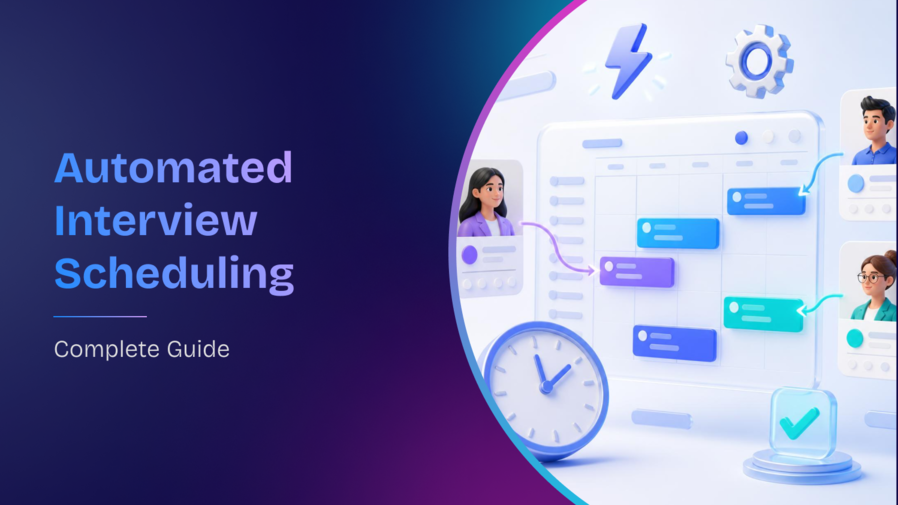


Table of content
Automated Interview Scheduling in 2025: How to Improve Efficiency and Candidate Experience
Did you know that 87% of talent says a positive interview experience can change their mind about a role or company they once doubted?
But currently, talent acquisition professionals spend a lot of time trying to create a positive interview experience, right from interview scheduling. That's a lot of time that could be better spent on other critical tasks.
But what if there was a way to streamline this process and improve the candidate experience? In this blog post, we'll explore how automated interview scheduling can do just that.
What is Automated Interview Scheduling?
Automated interview scheduling utilizes technology to streamline the scheduling process and reduce the amount of time and effort required from HR professionals and hiring managers.
By integrating with your existing recruitment system or email platform, automated interview scheduling tools can automatically send interview invites to candidates, allow candidates to self-schedule interviews based on availability, and send automatic reminders to both candidates and interviewers.
Benefits of Automated Interview Scheduling
Time Saved
Scheduling one interview manually takes around 30 minutes when you factor in checking panel availability, sending invites, and handling rescheduling. Across 50 open roles, that is 25 hours a week on coordination before a recruiter has spoken to a single candidate. Automated scheduling removes that entirely - candidates pick from available slots, confirmations go out automatically, and recruiters step in only when something needs a judgment call.
Axis Bank reduced interview scheduling to 55 seconds on while managing over 45,000 hires annually. The time savings were not incremental ,they changed what recruiters could do with their day.
Less Scheduling Errors
A panel interview involving three interviewers, two time zones, and a candidate on notice period leaves a lot of room for something to go wrong. Manual scheduling depends on everyone checking the same information at the same time and updating each other when anything changes.
Automated scheduling pulls availability directly from calendar integrations, locks the slot the moment a candidate confirms, and notifies everyone automatically if anything changes. The coordination does not run on email threads, it runs on a system.
Lower No-Show Rates
When a recruiter manually books a candidate into a slot, the candidate has no ownership of that time. When a candidate picks their own slot from available options, they do and that small shift changes their commitment to showing up.
Automated reminders do the rest. A confirmation at booking, a reminder 24 hours before, and a nudge an hour before the interview means the candidate never has to rely on memory. According to SHRM's recruiting benchmarks research, poor scheduling communication is one of the top reasons candidates withdraw mid-process. Automated scheduling addresses both the cause and the symptom.
Candidate Experience
The scheduling interaction is often the first live experience a candidate has with the organization after applying. Most candidates have already formed an opinion before the interview starts, based on how long the scheduling took, how many emails went back and forth, and whether the confirmation arrived instantly or three days later.
A self-scheduling flow that takes under two minutes, confirms immediately, and sends structured reminders signals that the organization respects the candidate's time.
LTIMindtree digitized every stage of their hiring funnel on including interview scheduling creating a consistent, structured candidate journey from application through offer that removed the friction points where candidate experience typically degrades.
Types of Automated Interview Scheduling Tools
Calendar Integration
The simplest starting point. The tool connects to Google Calendar or Outlook, reads live availability, and lets candidates pick a slot from what is actually open. It removes the email chain. What it does not solve is the panel side if three interviewers need to be available at the same time, you still have to coordinate that manually.
Chatbot-Based Scheduling
A bot usually on WhatsApp, SMS, or a career site that handles the scheduling conversation directly with the candidate. They respond to a message, the bot checks availability, and books the slot. For high-volume roles where the first response time matters and most candidates are on mobile, this is where the drop-off reduction is most visible.
Video Interview Platforms
For one-way video interviews, there is no scheduling to do at all the candidate records responses at their convenience. For live video rounds, the same platform handles slot selection and hosts the session. It removes the need for a separate video conferencing tool and keeps the interview experience in one place.
Panel Scheduling
This is where manual coordination breaks down most visibly. Getting three interviewers across functions, time zones, and packed calendars into the same slot at the same time is the single biggest coordination bottleneck in technical and senior hiring. Panel scheduling tools find the first available window where everyone is free, send individual invites to each interviewer, and handle the rescheduling if someone drops out. Without this, one interviewer's calendar block can push a candidate's interview by three to four days.
ATS-integrated Interview Management
When scheduling lives inside the ATS, the interview status, candidate pipeline, panel feedback, and next-step triggers all update in the same system. There is no data transfer, no separate login, no gap between what the coordinator sees and what the recruiter sees. The interview stage flows directly into the next stage without a handoff.
How to Choose the Right Tool
Integration with your ATS
If the scheduling tool and the ATS are separate systems, someone has to keep them in sync manually. A candidate advances in the ATS, but the scheduling tool does not know. A slot is booked, but the ATS pipeline does not update. For enterprise hiring across multiple roles and locations, it creates a reporting lag and a coordination gap that compounds over time.
When evaluating a tool, check whether it writes back to your ATS automatically. Slot confirmed, calendar updated, candidate status changed, next-stage trigger fired. If any of those require a manual step, you have not automated scheduling. You have just moved the manual work to a different screen.
Panel Management Capability
Single-candidate scheduling is straightforward. Coordinating a three-person panel for a senior technical role each interviewer with different availability, different levels of seniority, and a defined competency they are responsible for evaluating is a different problem.
Look for a tool that lets you build structured interviewer pools by role, grade, and skill. It should show you who is certified to interview for a given role, how many interviews each person has already done that week, and whether anyone is close to their SLA limit. Without that visibility, you end up over-relying on the same three available interviewers while others sit unused and panel quality becomes inconsistent without anyone noticing.
Drive and Bulk Scheduling Support
Standard scheduling tools are built for one candidate at a time. When a hiring drive brings in 200 candidates across two days and four interview panels, the tool needs to work differently , bulk slot assignment, drag-and-drop reallocation when someone cancels, and a live dashboard that shows at a glance how many interviews are done, how many are in progress, and how many candidates are ready to advance.
Ask the vendor specifically how their tool handles bulk events. Look for real-time status visibility, not just a report you pull at the end of the day.
Feedback Collection Built-In
Late or missing interviewer feedback is one of the most common reasons hiring decisions stall. The interview happened three days ago. The hiring manager is ready to decide. The feedback is still pending because the interviewer has not logged into the feedback system.
Look for a tool where the feedback form opens as part of the interview flow the interviewer receives it when the interview ends, not as a separate task they need to remember. Check whether the tool tracks submission rates and sends automated reminders when feedback is overdue, and whether SLA breaches surface to the recruiter before they have to chase anyone.
When feedback is part of the process rather than appended to it, hiring managers review and decide faster and the candidate does not spend an extra three days waiting while the panel catches up.
Best Practices for Using Automated Interview Scheduling Tools
To use automated interview scheduling tools effectively, it's important to follow best practices that prioritize clear communication, flexibility, and a positive candidate experience. Here are some ways to achieve this:
Communicate clearly with candidates
When implementing automated interview scheduling tools, it's important to explain to candidates the benefits of using them and how they work. Providing clear instructions on how to use the tool and what to expect can help reduce confusion and ensure a positive candidate experience. Additionally, be available to answer any questions or concerns that candidates may have about the tool or the scheduling process.
For instance, you can create a candidate guide that outlines how the automated scheduling tool works and what the candidate needs to do. You can also provide a point of contact for candidates to reach out to if they have questions or need assistance.
Be prepared to handle scheduling conflicts
Even with the best planning, scheduling conflicts can still occur. It's important to have a plan in place to handle these conflicts quickly and professionally. One approach is to offer alternative times that work for both the candidate and the interviewer. Be prepared to provide support and assistance if technical issues arise, such as the tool malfunctioning or candidates experiencing difficulty accessing the interview platform.
For example, you can set up a process to reschedule interviews that includes offering multiple options for the candidate to choose from. You can also provide contact information for technical support if the candidate is experiencing technical difficulties.
Prioritize candidate experience
The candidate experience should always be a top priority when using automated interview scheduling tools. Creating a positive candidate experience can help set your organization apart from others and improve your chances of attracting top talent. This can be achieved by prioritizing clear communication, prompt follow-up, and handling issues quickly and efficiently.
For instance, you can use the automated scheduling tool to send automated reminders to candidates before the interview. This not only reduces the risk of no-shows but also demonstrates that you value the candidate's time and effort in preparing for the interview. Additionally, be sure to follow up with candidates after the interview, providing feedback or the next steps, and thanking them for their time.
Choose RippleHire to Run Every Interview Round Without the Chase
Most hiring delays do not happen in sourcing, they happen after a candidate is shortlisted -in the weeks of calendar ping-pong, feedback that never arrives, panels that cannot agree on a slot, and drives that run on spreadsheets and WhatsApp groups.
What that looks like in practice:
Panel problem. Recruiter chases three interviewers to confirm availability. Two respond same day. One goes quiet for three days. The candidate is already in final rounds elsewhere.
Feedback problem. Interview happened Tuesday. The hiring manager is ready to decide Friday. The feedback form is still open because it lives in a system the interviewer checks once a week.
Drive problem. A hiring event is running across two cities. Nobody has a real-time view of how many interviews are complete, which candidates are ready to advance, and which panels are running behind.
Every one of these is a coordination problem that automation solves by removing the manual steps that should not exist in the first place.
See how RippleHire automates interview coordination from candidate self-scheduling and panel assignment to feedback collection and live drive dashboards without any of it sitting outside your hiring workflow.
Book a RippleHire demo and we will show you how interview scheduling, panel coordination, and feedback collection run as one automated workflow across your hiring volume.
FAQs
What is automated interview scheduling?
Automated interview scheduling uses software to streamline interview planning by letting candidates self-schedule, sending reminders, syncing calendars, and reducing manual coordination saving time for recruiters and enhancing candidate experience.
How does automated scheduling improve the recruitment process?
It reduces manual errors, prevents double bookings, eliminates scheduling back-and-forth, increases recruiter productivity, and improves the overall professionalism and responsiveness of the hiring process.
How do I choose the right interview scheduling tool?
Look for tools that integrate with your ATS, offer branding/customization, support multiple time zones, and fit your hiring volume. Ensure it offers features relevant to your team’s workflow and candidate needs.