
.png)
Thirty minutes. On your data. You leave with a working agent.
Book a build session and RippleHire will configure a live agent against your own hiring data. Not a product tour - a working session that ends with an agent ready to activate.

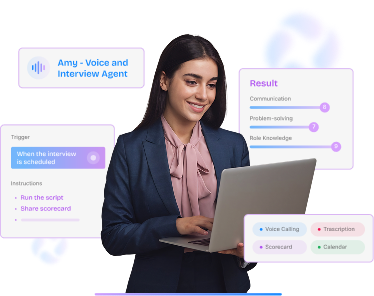
Screening, scheduling, reminders, and follow-ups run automatically. See a live interview agent handle the work that buries your team.
.png)
Every action is visible, auditable, and reversible. Your team sets the guardrails and stays accountable for the call.
.png)
We walk your current process and surface where manual handoffs, stale data, and slow stages are quietly costing you hires.


.svg) Product
Product Core Modules
Extended Modules
Experience
RippleHire AI
Meet the agents
How the platform works
Responsible AI & Governance
Solution
By Role
By Industry
By Hiring Type
Customers
Core Modules
Extended Modules
Experience
RippleHire AI
Meet the agents
How the platform works
Responsible AI & Governance
Solution
By Role
By Industry
By Hiring Type
Customers Customer Stories
Proof & Community
Resources
Customer Stories
Proof & Community
Resources Download
our Exclusive Ebook
Download
our Exclusive Ebook
Advanced thinking in talent science and culture Actionable frameworks for HR leaders Case studies and results from industry pioneers
Talent science
Comparisons
Company
Talent science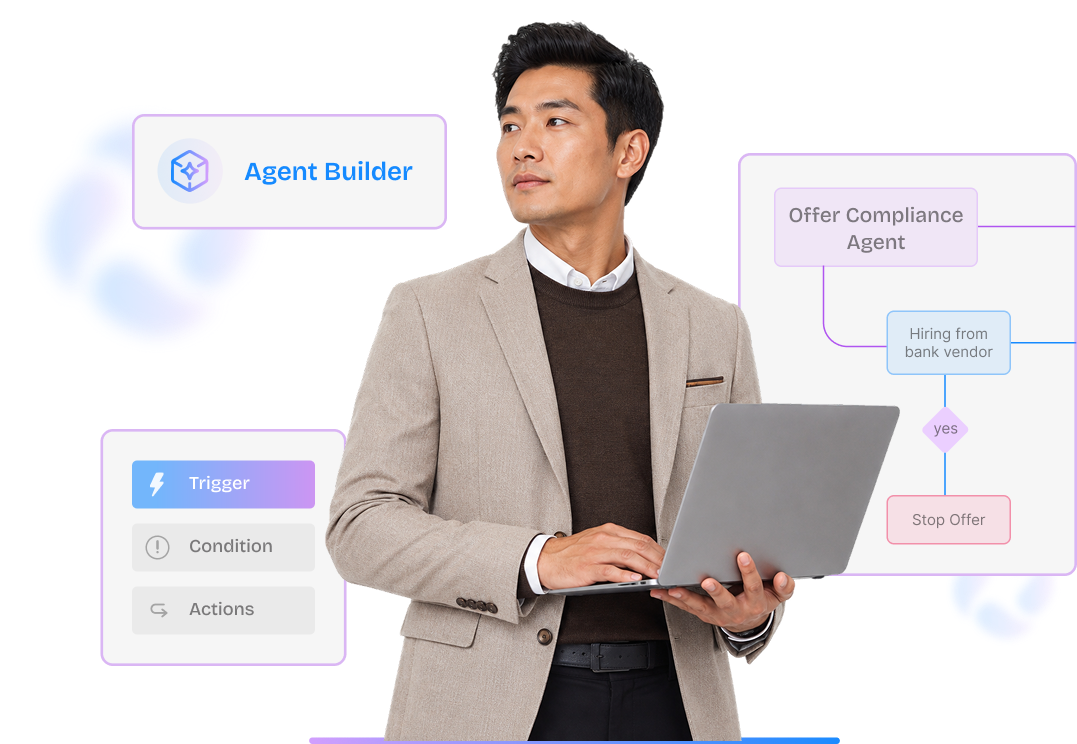
RippleHire's Agent Builder lets
your TA team design, test, and deploy custom AI agents for any step in your hiring workflow. Set
a trigger. Add conditions. Define an action. Test it on your data. Activate.
Thirty minutes. On your data. You leave with a working agent.

Agent Builder is RippleHire's no-code workflow automation tool, built specifically for hiring operations. It lets anyone on your TA team configure AI agents that run automatically, handle repetitive tasks, enforce policy, and log every action — without writing a single line of code or raising an engineering ticket.
When you use one agent, you will want many. Agent Builder is how you build them.
Every agent built in Agent Builder follows the same structure: a trigger that starts the workflow,
conditions
that filter who it applies to, an action that runs
automatically, and a test before it goes
live.

Define when the workflow starts. 'All positions filled.' 'Offer accepted.' 'Candidate shortlisted.' 'Interview scheduled.' The trigger fires the moment the event occurs.

Specify rules that must pass before the action runs. Role type, skill set, department, location, experience level, or any field configured in your ATS.

Choose what the agent does: unpublish jobs, move candidates, send notifications, assign tasks, trigger a voice screen, or route an approval.

Run the workflow against live data or simulate it before activating. Confirm the logic is correct. Then activate with one click.
Agent Builder ships with five pre-built categories, each containing agents that are battle-tested and ready to activate. All five are included in the platform — no additional contract required.

Agent categories are extensible. Customers and partners build new agents on Agent Builder as
their hiring
operation
matures. The builder is not limited to the five categories that ship with the platform.
Each is deployable in under 30 minutes. The right starting point is the one that maps to your
highest-cost manual workflow right now.

Start here if: Your offer compliance today is a manual checkpoint.
System-prevented violations

Start here if: Your team-to-req ratio is below 1:50.
Screening effort down 40 to 60%

Start here if: You have ghost postings hurting your employer brand.
Eliminated in configured workflows

Start here if: Senior-hire approvals routinely take more than 4 days.
Approval cycle 5 days to 1 to 2 days

Start here if: Recruiters spend more than half a day a week on housekeeping.
4 to 6 hours per week recovered
Agent Builder is not a consumer automation tool dropped into an enterprise context. It is designed from
the
ground up for
the governance requirements of large, distributed hiring
operations.
Same input, same output, every time. No probabilistic drift. Predictable behavior across every agent run.

Every agent action is logged: who triggered it, what conditions passed, what action ran, and when. Visible in Job and Candidate Collaboration tabs.
Agents are configured by admins. Recruiters operate within controlled outputs. Configuration changes require admin access and are logged.
Test any agent against live or simulated data before activating in production. Confirm the logic is correct before it runs on real candidates.
Admin, Recruiter, and Auditor roles each have defined access levels. SSO via SAML 2.0 and SCIM provisioning supported.
Compliance rules are built into the agent logic, not managed externally. Policy violations are prevented at the point of action, not discovered in audits.
Agents go live in weeks, not quarters. RippleHire's deployment path pairs your first agents
with your team in a structured four-week process.
Identify your highest-cost manual workflow. Configure your first one to two agents. Test in dry-run mode against live data.
Activate Agent 1 in production. Monitor the first 48 hours of execution logs. Review with your TA team.
Expand to three to five agents based on first results. Establish baseline metrics for your next QBR.
Book a build session and RippleHire will configure a live agent against your own hiring data. Not a product tour - a working session that ends with an agent ready to activate.