
.svg) Product
Product

.png)


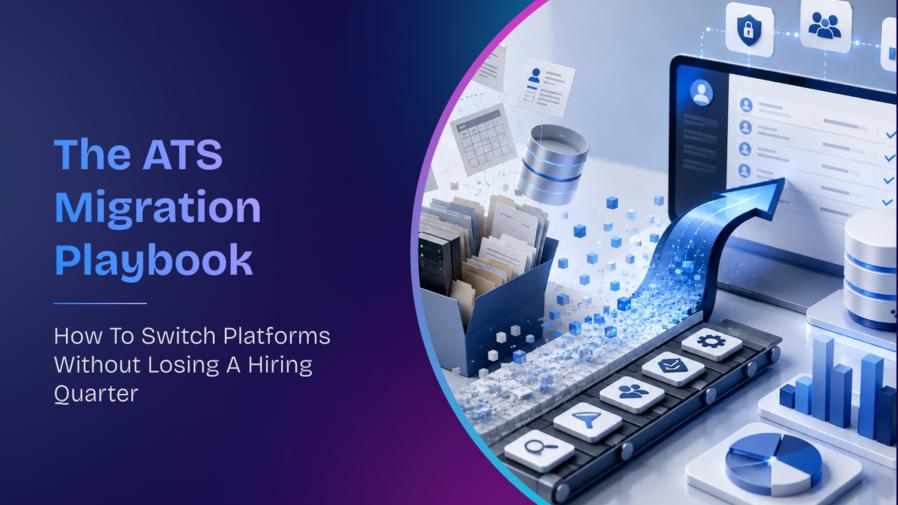


Table of content
Buying a new applicant tracking system is rarely the hard part. The decision that keeps a CHRO tied to a platform they have already outgrown draws far less attention than a purchase order. It sounds like this: "We can't afford to lose a quarter switching." The worry is reasonable, because hiring is already under pressure without any disruption added on top. Average time-to-hire climbed to 44 days, up from 43 a year earlier, according to research from the Josh Bersin Company and AMS, and that figure has risen consistently for four years running (Talent Climate report). Adding a broken migration to that baseline feels like a risk few TA leaders want to own.
Losing a quarter is not a property of switching ATS platforms. It is a property of switching them without a sequence. This ATS migration playbook breaks the move into five stages that run in a deliberate order, so pipelines keep flowing while the platform changes underneath them. Get the sequence right and the quarter you were afraid of losing becomes a few weeks of controlled overlap instead.
Why "we can't afford to lose a quarter" is the wrong fear
The instinct to protect the quarter is sound. The conclusion drawn from it, that migration itself is the threat, points at the wrong target. When a switch goes badly, the failure almost never traces back to the software. It traces back to people who were not ready, data that was not clean, and integrations that broke in an order nobody planned.
That pattern shows up well beyond recruiting. According to McKinsey, 72% of transformations fall short because leadership does not fully back the change or employees resist it (State of Organizations). Read that carefully, since it reframes the whole problem. The dominant risk in an ATS data migration is organizational, not technical. Recruiters who do not trust the new system will keep working in spreadsheets. Hiring managers who were never shown the new interface will stop approving candidates on time. A clean database matters, yet a confident team matters more.
Sequencing solves for both. When you decide what moves, when it moves, and who is ready at each step, the lost quarter stops being a coin flip and becomes a managed transition. The rest of this playbook is that sequence.
The five-stage ATS migration sequence
Five stages carry an enterprise from a signed contract to a stable go-live without a hiring blackout. Each stage has one job, and each depends on the one before it. Rushing a later stage to save time almost always creates rework that costs more than the time saved, so the order matters as much as the content.
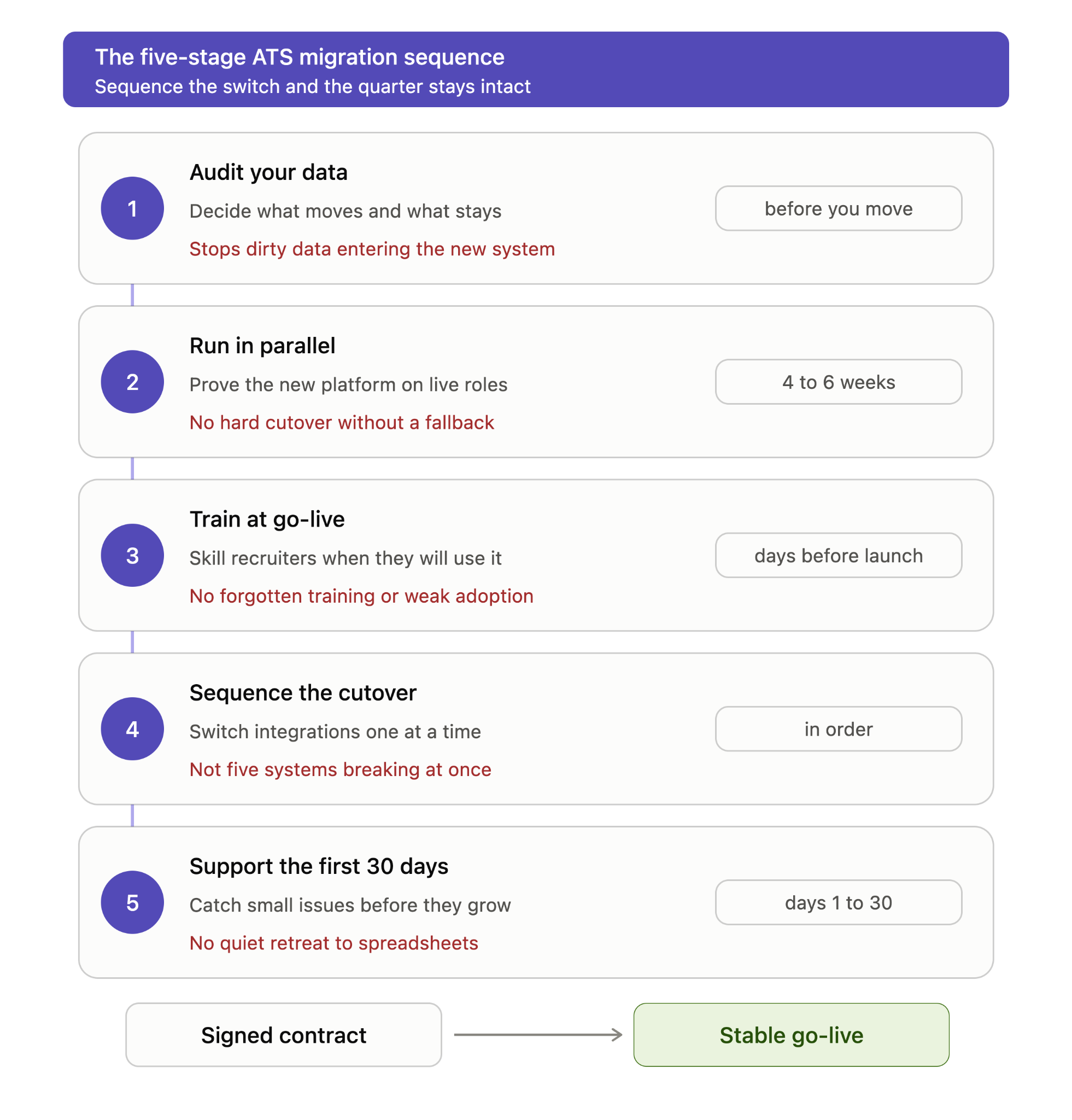
Stage 1: Audit your data before you move any of it
Before a single record moves, you need an honest inventory of what you actually have. A migration is the rare moment when carrying everything forward is the wrong instinct. Legacy systems accumulate years of duplicate candidate profiles, dead requisitions, and fields nobody has used since 2019. Moving that debris into a new platform simply relocates the mess and slows the new system down.
Sort your data into 3 buckets: what to carry forward, what to archive outside the ATS, and what to leave behind entirely.
|
Data category |
Recommendation |
Reasoning |
|
Active requisitions and live candidates |
Carry forward |
These are your working pipeline and cannot pause during the switch |
|
Recent hires and offer records (last 12 to 24 months) |
Carry forward |
Needed for reporting continuity and reference checks |
|
Historical candidate profiles (older, no recent activity) |
Archive separately |
Retain for compliance, but keep them out of the active database |
|
Duplicate or incomplete records |
Clean or discard |
Migrating dirty data corrupts search and reporting from day one |
|
Custom fields nobody uses |
Leave behind |
Rebuild only the fields the new workflow actually needs |
|
Compliance and audit trails |
Carry forward or archive per policy |
Retention rules, not convenience, decide these |
A useful test for any record is simple. If it would not help a recruiter make a decision tomorrow, and no regulation requires you to keep it live, it does not belong in the new system on day one.
Stage 2: Run both systems in parallel, but time-box it
A parallel-run period is the safety net that lets you catch problems while the old system is still catching your hiring. During this window, the new platform runs alongside the legacy one, and real requisitions flow through both so you can compare outputs and confidence before committing fully.
The temptation is to keep that net up for as long as possible. Resist it. An open-ended parallel run doubles the work for recruiters, who now update two systems for every action, and that fatigue breeds shortcuts. A realistic window for most enterprises sits between four and six weeks, long enough to cover a full hiring cycle from requisition to offer, short enough that the team never treats the old system as home.
Set an exit condition before you begin, not after. When new requisitions have moved cleanly through the new platform for one complete cycle and your recruiters report equal or higher confidence, the parallel run has done its job and should end.
Stage 3: Train recruiters for go-live, not before it
Timing turns training from a cost into an asset. Teams trained weeks ahead of go-live forget most of what they learned by the time it matters, and the gap between the classroom and the live system erodes whatever confidence the session built.
Schedule and shape the training so it lands when recruiters can use it immediately:
- Run core training in the days just before go-live, so recruiters apply new skills to live work while the details are fresh.
- Train on real requisitions from your own pipeline rather than a generic sandbox, since familiar roles make the interface stick faster.
- Prioritize the daily-use paths first, which means sourcing, screening, feedback capture, and offer approval, and leave rarely used configuration for later.
- Give hiring managers a shorter, separate session focused only on what they touch, because overloading them guarantees they revert to email.
- Name a small group of early power users who learn first and become the people others ask before they raise a ticket.
Stage 4: Sequence the integration cutover
Enterprise ATS platforms rarely stand alone. They connect to your HRMS, job boards, assessment tools, background-check vendors, and offer or onboarding systems. Switching all of those connections at once multiplies the ways a go-live can break, so an ATS cutover plan for an enterprise should move integrations in a deliberate order rather than in a single leap.
A dependable cutover order looks like this:
- Connect the system of record first, usually your HRMS or core HR platform, since every downstream integration relies on clean employee and requisition data flowing correctly.
- Switch sourcing channels next, including job boards and career-site posting, so new candidates enter the new system from the start.
- Move assessment and interview tools once candidates are flowing, so evaluation happens natively in the new platform.
- Cut over background verification and compliance checks, which sit later in the funnel and can run on the legacy path a little longer if needed.
- Switch offer and onboarding handoff last, because it affects the smallest number of candidates at any moment and carries the highest cost if it fails.
Each step confirms the previous connection is stable before the next one begins. If something breaks, you know exactly which integration caused it, instead of debugging five at once during your busiest hiring week.
Stage 5: Build a first-30-days support model
Go-live is the start of the real work, not the finish line. The first month decides whether recruiters adopt the platform or retreat to old habits, and small issues left alone in week one compound into abandoned workflows by week four.
A strong support model catches problems while they are still small. Staff a dedicated support channel where recruiters get answers within hours, not days, and keep your implementation partner close rather than releasing them at go-live. Hold a short daily check-in for the first two weeks, then move to weekly, so patterns surface before they harden into complaints.
Watch adoption signals as closely as ticket volume. When you see login frequency, requisitions created in the new system, and feedback captured on time all holding steady, adoption is real. If any of those dip, treat it as an early warning and intervene before the habit sets.
Big-bang, phased, or parallel: choosing your cutover approach
Not every organization should migrate the same way. The right approach depends on your hiring volume, risk tolerance, and how much parallel effort your team can absorb. Three broad approaches cover most enterprise migrations, and each trades speed against safety differently.
A big-bang cutover switches everything at once on a set date. A phased migration moves teams, regions, or business units across in waves. A parallel approach runs both systems together until the new one proves itself. The table below compares them on the dimensions that usually decide the call.
|
Approach |
Best suited to |
Pros |
Cons |
|
Big-bang cutover |
Smaller teams or lower hiring volume |
Fastest to complete; no prolonged dual-system effort; clean break |
Highest risk if something fails; no fallback once live |
|
Phased migration |
Large, multi-unit enterprises |
Contains risk to one group at a time; lessons carry into later waves |
Longest overall timeline; two systems coexist for months |
|
Parallel run |
Risk-averse, high-volume hirers |
Strong safety net; issues caught before full commitment |
Doubles recruiter workload during overlap; needs strict time-boxing |
For most enterprises hiring at scale across several units, a phased migration with a short parallel run inside each phase blends the safety of overlap with the containment of waves. Smaller or more centralized teams can often move faster with a well-rehearsed big-bang date.
Signs you are ready to migrate, not just ready to buy
Wanting a better platform and being prepared to switch to one are different states. A budget approval and a signed contract prove appetite, not readiness. Before you set a go-live date, run your situation against this checklist. If you can honestly tick most of these, the risk of switching ATS platforms is genuinely under control.
- You have a documented inventory of your current data and a decision on what carries forward.
- Your compliance and retention rules for candidate records are written down, not assumed.
- You know every integration the current ATS depends on and who owns each one.
- A named internal owner will drive the migration, rather than leaving it to the vendor alone.
- Your recruiters know the change is coming and understand why it benefits them.
- You have protected a realistic window, ideally a lighter hiring period, for the parallel run.
- Leadership has agreed the switch is a priority, not something squeezed around peak hiring.
Readiness gaps are not reasons to abandon the move. They are the work to finish before you set the date.
Recruitment debt: the real cost of staying too long
Every quarter spent on a platform your team has outgrown adds to a balance most organizations never put on a spreadsheet. Recruitment debt works like technical debt. Each workaround, each manual export, each report stitched together by hand is a small loan taken against future efficiency, and the interest compounds.
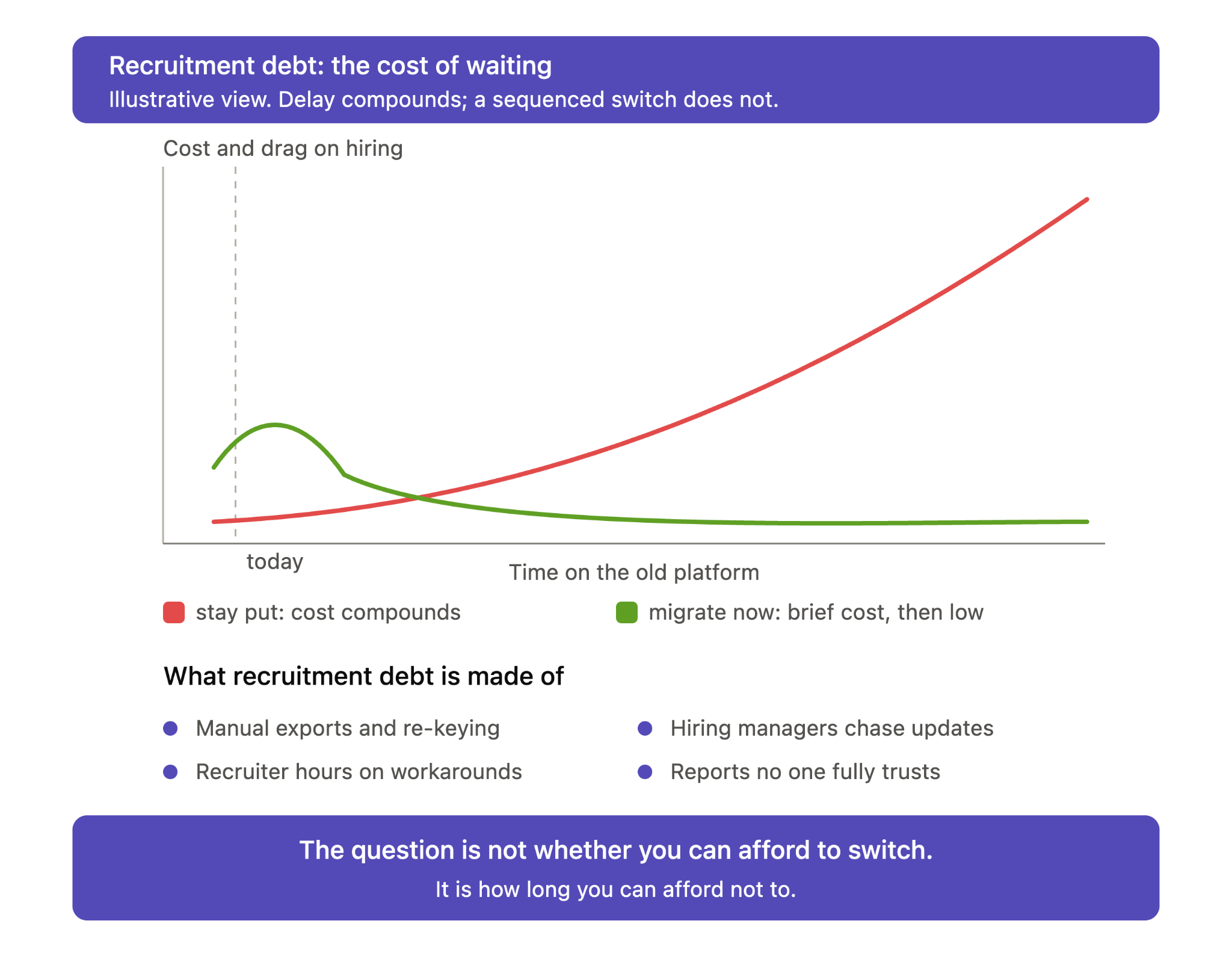
The debt shows up in familiar symptoms. Recruiters spend hours on tasks the platform should automate. Hiring managers lose visibility and chase updates over email. Data lives in so many places that no report is fully trusted, so decisions slow down. None of these register as a crisis on any single day, which is exactly why the debt keeps growing. The fear of a lost quarter feels concrete, while the slow drain of an outdated system feels like normal life.
Weighing the two honestly reframes the decision. A well-sequenced migration costs a few weeks of managed overlap, once. Staying on the wrong platform costs a little productivity every day, forever, and that bill never stops arriving. The question is not whether you can afford to switch. It is how much longer you can afford not to.
Migrate to an ATS where recruiters and agents work together
A migration is the right moment to ask what you are actually moving toward. Switching platforms only to inherit the same manual load defeats the purpose. The stronger goal is a system where recruiters keep the judgment and AI agents absorb the repetitive work, so your team comes out of the transition doing more than before, not just doing the same job in a new interface.
RippleHire is built for exactly that model, where recruiters and AI agents work as one team across the hiring funnel. For enterprises planning a switch, that foundation shapes the migration itself:
- Move with a no-code integration framework that connects RippleHire to the HRMS, job boards, and tools you already run, so your cutover follows a planned order instead of a risky all-at-once leap.
- Configure the platform to mirror your policies, compliance rules, business units, and reporting needs, rather than reshaping your process to fit the software.
- Carry candidate history forward into a story-aware system that remembers each applicant from first contact, so context survives the switch instead of getting lost in it.
- Protect sensitive candidate data throughout the move with enterprise security certifications including ISO 27001, SOC 2 Type 2, and GDPR compliance.
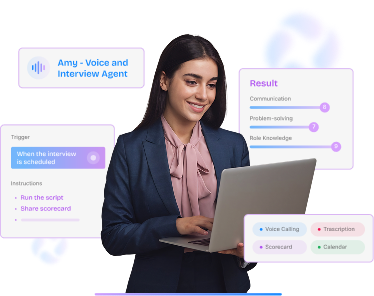
- Keep recruiters productive from day one with AI agents such as Amy for interviews, the AI voice agent for screening, and Interviewer Copilot, all designed to assist your team rather than replace it.
Talk to a RippleHire migration specialist to map your data audit, cutover order, and go-live support into a sequence that protects your hiring quarter.
FAQs
How long does an enterprise ATS migration usually take?
Most enterprise migrations run between two and four months from planning to a stable go-live, depending on data volume, the number of integrations, and hiring pace. The timeline stretches when data is messy or integrations are undocumented, and shrinks when the audit and sequencing are done well upfront. A phased approach can extend the calendar but lowers risk at each step.
What data should we actually move to a new ATS?
Carry forward your active pipeline, recent hires, and any records that compliance rules require you to keep live. Archive older, inactive candidate profiles separately, and leave behind duplicates, incomplete records, and unused custom fields. The guiding test is whether a record helps a recruiter make a decision or satisfies a regulation. If it does neither, it does not belong in the new system on day one.
Will switching platforms disrupt our current hiring?
Disruption is avoidable when the switch follows a sequence rather than a single cutover date. A parallel-run period keeps the old system available while the new one proves itself, so live requisitions never stall. Training timed to go-live and a structured first-30-days support model catch issues before they spread. Poorly planned migrations cause disruption, well-sequenced ones rarely do.
Is it better to migrate all at once or in phases?
That depends on your size and risk tolerance. Smaller or centralized teams can often manage a single well-rehearsed cutover date, which finishes fastest. Large, multi-unit enterprises usually benefit from a phased move that contains risk to one group at a time and carries lessons into later waves. Many organizations combine a phased rollout with a short parallel run inside each phase.
How do we get recruiters to actually adopt the new system?
Adoption depends far more on timing and involvement than on the software itself. Train recruiters just before go-live using real requisitions from your own pipeline, not a generic demo. Name a few early power users who help their peers, and staff a responsive support channel for the first month. Watch usage signals like logins and requisitions created, and step in quickly if any of them dip.