Your hiring system, now callable by any AI agent

The RippleHire MCP Server connects Claude, ChatGPT, Copilot and your in-house agents to live hiring data through one open standard. No custom integration. No copy-paste. No data leaving your controls. 

Sourcing Agent (2)
demand and sourcing-1-1

Every enterprise is building agents. Almost none of them can see hiring. 

 Your CHRO has a Copilot licence. Your engineering team is shipping internal agents. Your TA ops lead is running workflows in n8n. All of them hit the same wall — the hiring system is a locked room. Data comes out as a weekly export, a stale dashboard, or a Slack message to whoever knows the report.

That gap has a cost we call Data Debt. Decisions get made on numbers that were true last Tuesday. Recruiters spend their week answering questions a machine should have answered.

The Model Context Protocol fixed the plumbing problem for the industry. RippleHire's MCP Server applies it to hiring — one governed connection between your agents and everything happening in your requisitions, pipelines, interviews and offers.

Agents coordinate. Recruiters close.
 

One connection. Every AI client your enterprise already uses. 

Point any MCP-compatible assistant at RippleHire and it can read hiring data and take action inside the permissions you already set. Nothing to rebuild when your team switches models next quarter. 

Connect in minutes - a single authenticated endpoint, not a bespoke API project per tool
Works with what you have - Claude, ChatGPT, Microsoft Copilot, Cursor, and any MCP-compatible client
Read what matters - requisitions, candidate pipelines, stage movement, interview schedules, offers, referral activity
Act, don't just answer - create a requisition, move a candidate, schedule an interview, trigger a screening agent
Permission-aware by design - agents inherit the user's RippleHire role and see exactly what that person sees
Query in plain language - "Which BFSI requisitions are past 45 days with no offer out?" gets an answer, not a report request

An open door for your agents. A closed one for everyone else.  

Opening hiring data to AI is a trust decision before it is a technical one. We built the server so your security team signs off in one review, not five.

Role-based access carries over - no agent can read or write anything the authenticated user could not do manually in RippleHire

Every call is logged - full audit trail of which agent asked what, when, and on whose behalf, available to your compliance team

Your data stays yours - candidate data is never used to train external models, and the server operates inside the same controls that cover RippleHire Shield, DPDP and GDPR obligations

demand and sourcing-2-1

Fewer status meetings. More hires.

1-img
Answers without a login

Hiring managers and business leaders ask their own assistant and get live numbers, instead of pinging a recruiter for a pipeline update.

2-img
Agents that finish the job

Your internal agents stop stopping at "here's what I found" and start scheduling, updating and moving candidates forward.

3-img
Build once, connect anything

New model, new vendor, new internal tool — the connection stays. Your integration work does not start over.

The MCP Server is how the outside world talks to RippleHire. Agent Builder is how you build inside it.

Together they make RippleHire the ATS where recruiters and agents work together — from demand creation to onboarding, across 86M+ candidates, 1M+ users and 50+ countries.

PRODUCT-IMG

FAQs

1. What is the RippleHire MCP Server?

It is a secure endpoint that lets AI assistants and agents connect to your RippleHire instance using the Model Context Protocol, an open standard for linking AI clients to business systems. Once connected, an assistant can query hiring data and perform actions inside RippleHire without a custom integration.

2. What is the Model Context Protocol?

MCP is an open standard that defines how AI applications connect to external tools and data. Instead of building a separate integration for every assistant your enterprise uses, you expose one MCP server and every compatible client can use it.

3. Which AI assistants can connect?

Any MCP-compatible client. That includes Claude, ChatGPT, Microsoft Copilot, developer tools like Cursor, and agents your own teams build on frameworks such as LangGraph or n8n.

4. Can agents change data, or only read it?

Both, within permissions. The server exposes read tools for pipeline, requisition, interview and offer data, and action tools for tasks like creating a requisition, moving a candidate or scheduling an interview. Your administrators decide which action tools are enabled.

5. How is access controlled?

Every connection is authenticated against a RippleHire user, and the agent inherits that user's role and data scope. A recruiter's assistant sees a recruiter's requisitions. Nothing is exposed that the person could not already open in the product.

6. Is candidate data used to train AI models?

No. Candidate and hiring data accessed through the MCP Server is not used to train external models. The server runs under the same data protection and residency commitments that cover the rest of the platform.

7. How is this different from RippleHire's API?

The API is for developers building software. The MCP Server is for AI clients — it describes each capability in a form an assistant can discover and use on its own, which removes the integration layer your team would otherwise write and maintain.

8. How is this different from Agent Builder?

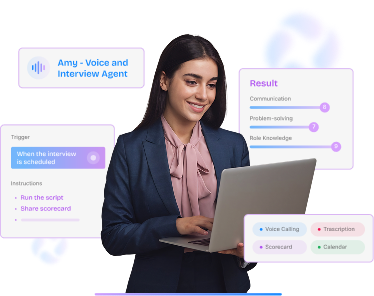
Agent Builder is how you design and run agents inside RippleHire, like Amy or the Document Validation Agent. The MCP Server is how agents living outside RippleHire reach in. Most enterprises end up using both.

9. How long does setup take?

Provisioning is a configuration step, not an implementation project. Your admin enables the server, sets the permitted tools, and shares the endpoint with the teams running AI clients.